Log In
Sign Up
Products
Developers
Company
Try Now
No Minimum Spend + Cashback
Menu
Global Accounts
Multi-Country, Multi-Currency Bank Accounts
Global Payouts
Fast, Low-Cost Global Payouts
Global Collections
Centralized Global Fund Aggregation
Global FX
Effortless Global Fund Flow
Global Card Issuance
Comprehensive Corporate Expense Management
Star Card
Automated Virtual Card Issuing
Financial Management
Fund Management & Control
Open API
Rapid Integration and Focused Core Innovation
API Documentation
Start Exploring
About Us
Who We Are
Careers
Join us! Embark on a journey of interstellar exploration.
Customer Support
Professional Service Assurance
Help Center
Frequently Asked Questions
FAQ
Search
如何新增子账户?

子账户使用规则说明:

1. 母账户完成子账户开通审核后,默认享有 5 个免费子账户额度。超出 5 个后,每新增 1 个子账户需收取对应开户费用;若需开通超过 10 个子账户,需另行提交数量申请。

2. 子账户仅为母账户公司内部员工使用,子账户权限严谨出借或售卖。

第一步

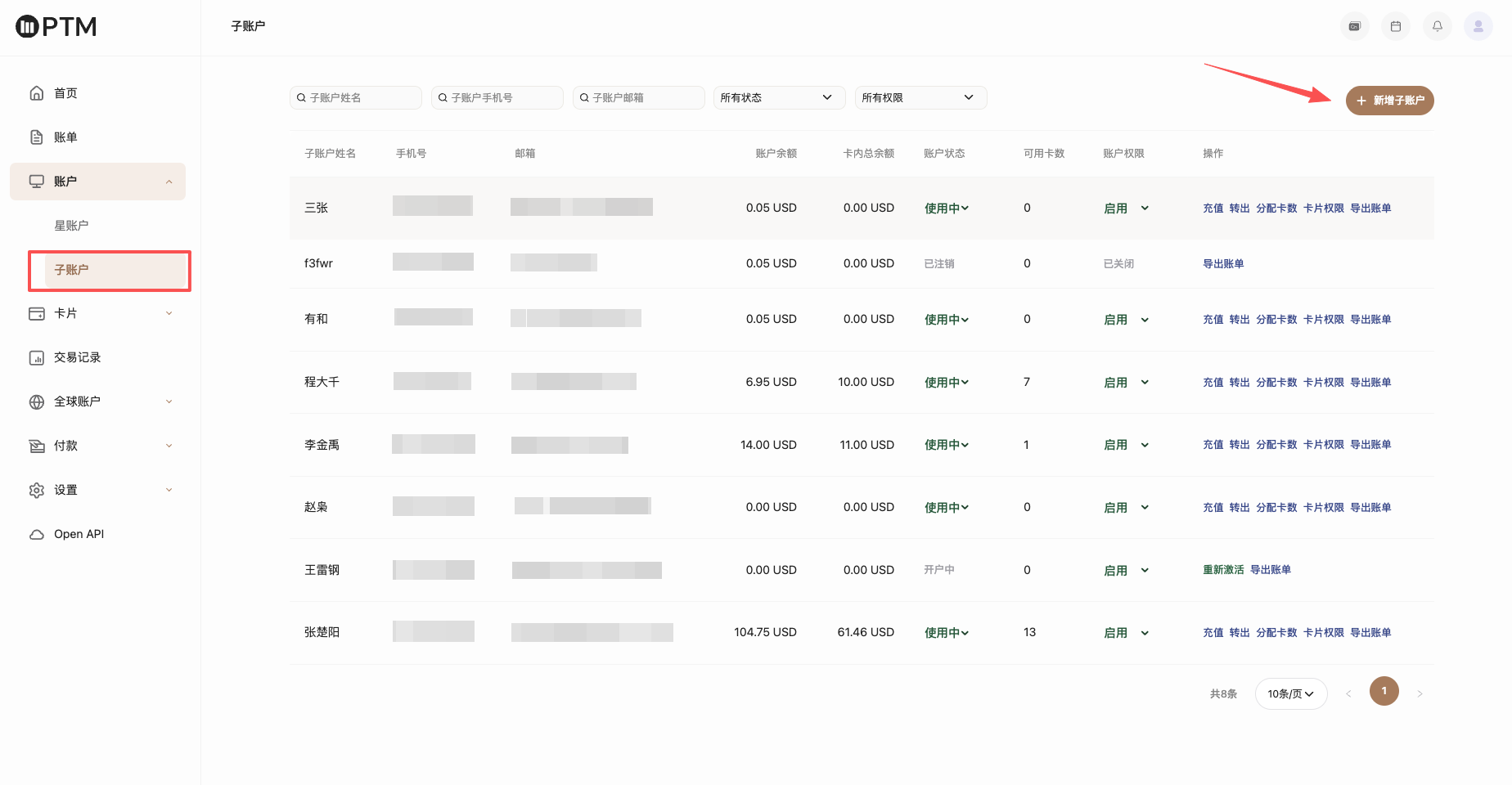
点击进入 账户-子账户管理,发起子账户功能申请,提交申请后预计在1个工作日左右完成审核,如需加急申请可咨询专属客服。

子账户功能权限开通后,点击子账户页面左上角 【新增子账户】添加子账户。

第二步

填写子账户信息,包含身份证照片、姓名、证件号、手机号、邮箱等信息;请注意每个身份证信息仅能开通一个账户。


第三步

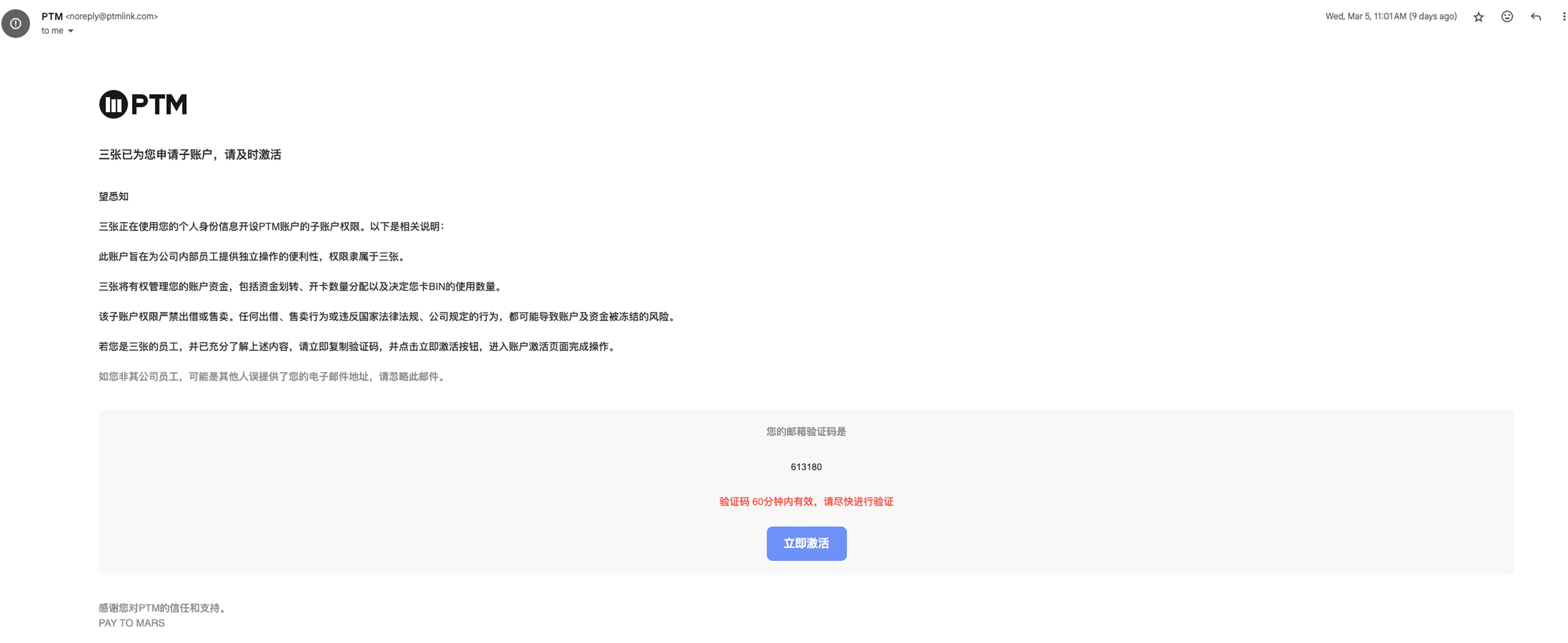
子账户添加成功后,发起激活认证,子账户注册邮箱将会收到激活邮件通知,请子账户根据邮件提示内容完成账户激活。


Can't find what you're looking for?
service@ptmlink.com
Or contact your dedicated account manager directly.
Contact Emailservice@ptmlink.com
Service HoursWeekdays 10:00 AM – 6:00 PM
English
Products
Global Accounts
Global Card Issuance
Developers
Open API
API Documentation
Company
About Us
Careers
Customer Support
Help Center
浙ICP备2023021827号-2© 2026 PTM 版权所有
Agreement