
Log In
Sign Up
Products
Developers
Company
Try Now
No Minimum Spend + Cashback
Menu
Global Accounts
Multi-Country, Multi-Currency Bank Accounts
Global Payouts
Fast, Low-Cost Global Payouts
Global Collections
Centralized Global Fund Aggregation
Global FX
Effortless Global Fund Flow
Global Card Issuance
Comprehensive Corporate Expense Management
Star Card
Automated Virtual Card Issuing
Financial Management
Fund Management & Control
Open API
Rapid Integration and Focused Core Innovation
API Documentation
Start Exploring
About Us
Who We Are
Careers
Join us! Embark on a journey of interstellar exploration.
Customer Support
Professional Service Assurance
Help Center
Frequently Asked Questions
FAQ
Search
付款操作指引 >>

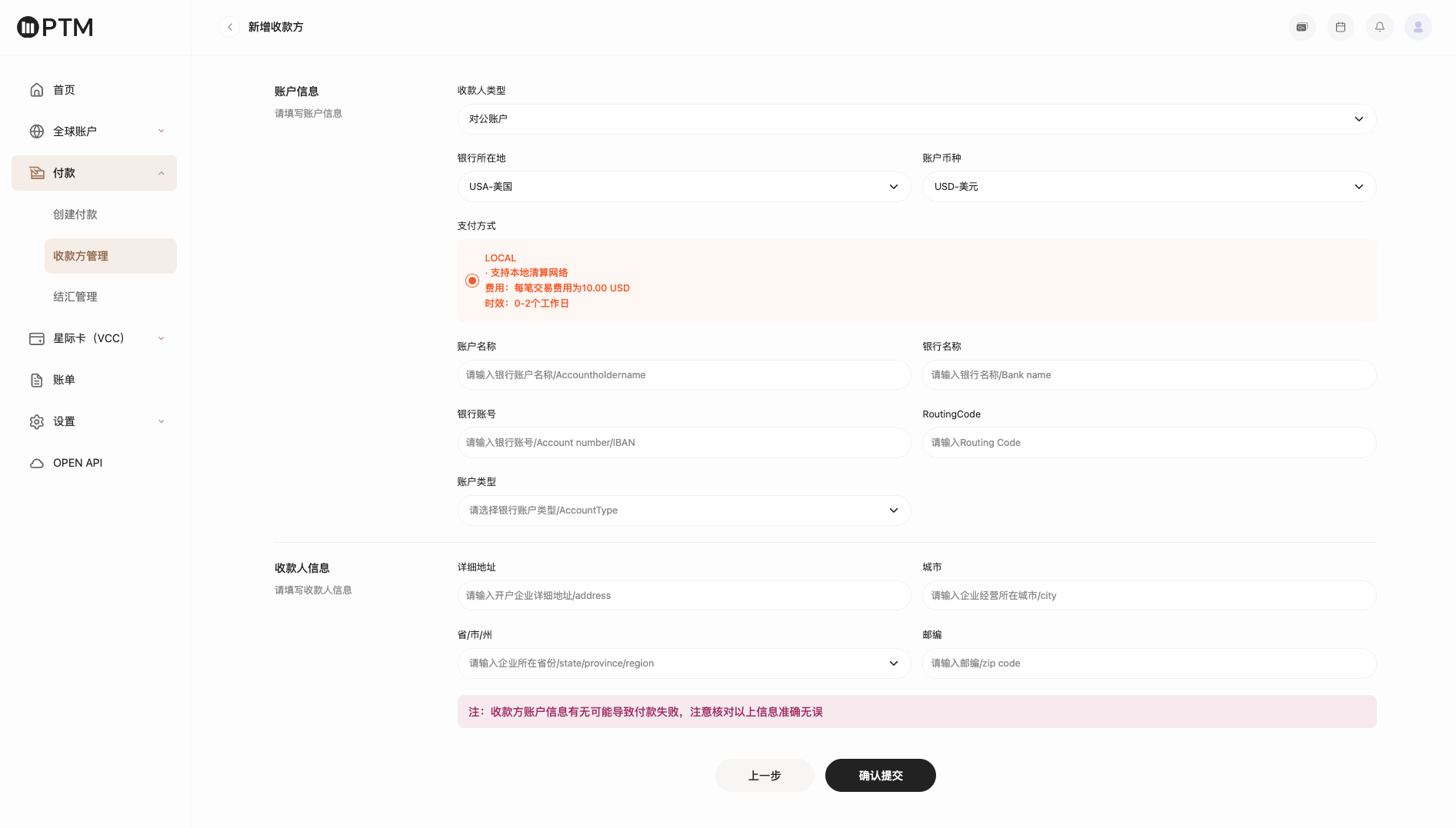
第一步 创建收款人账户

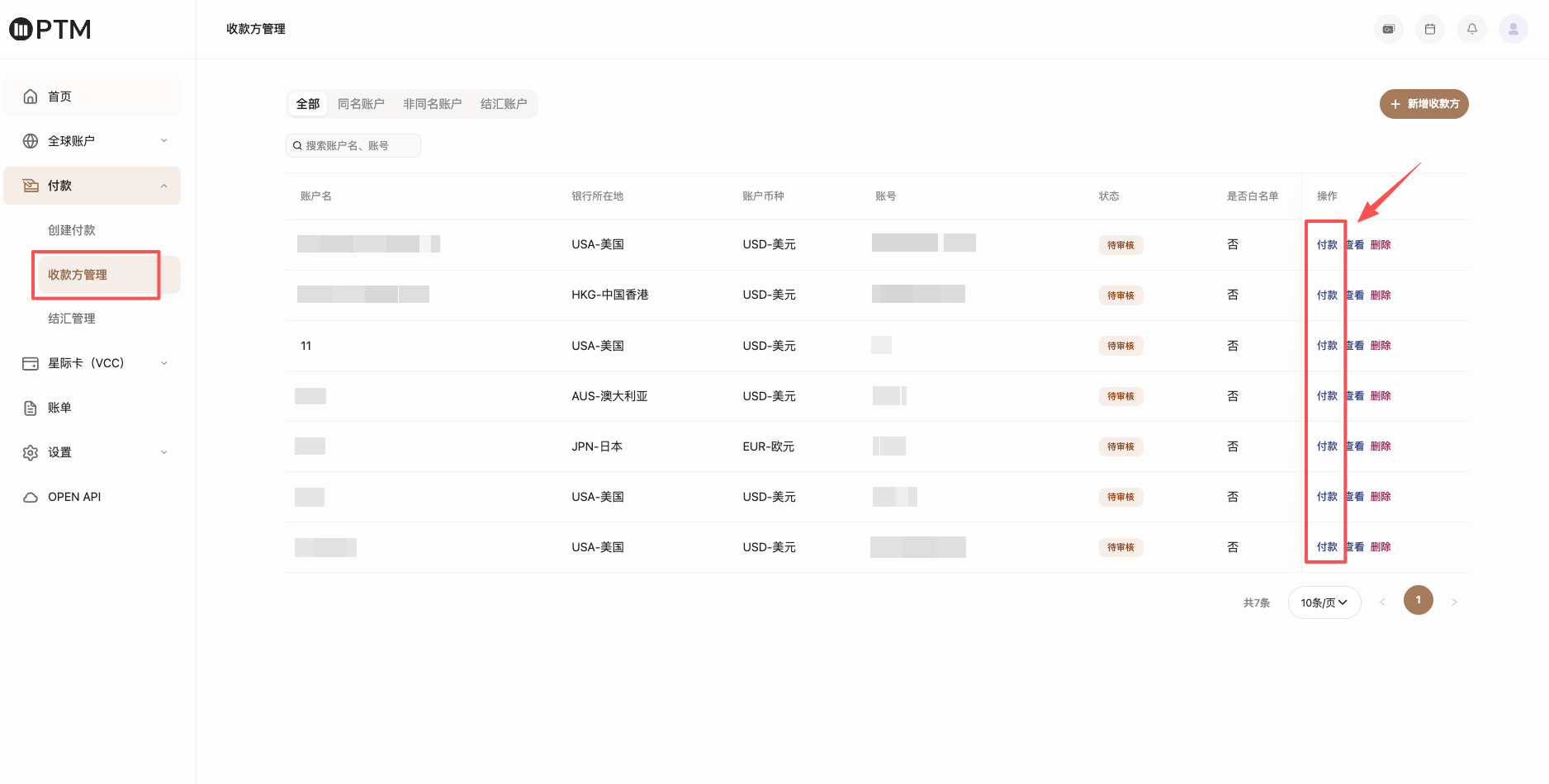
点击收款方管理,选择“非同名账户”添加收款人账户信息。


第二步 创建付款订单

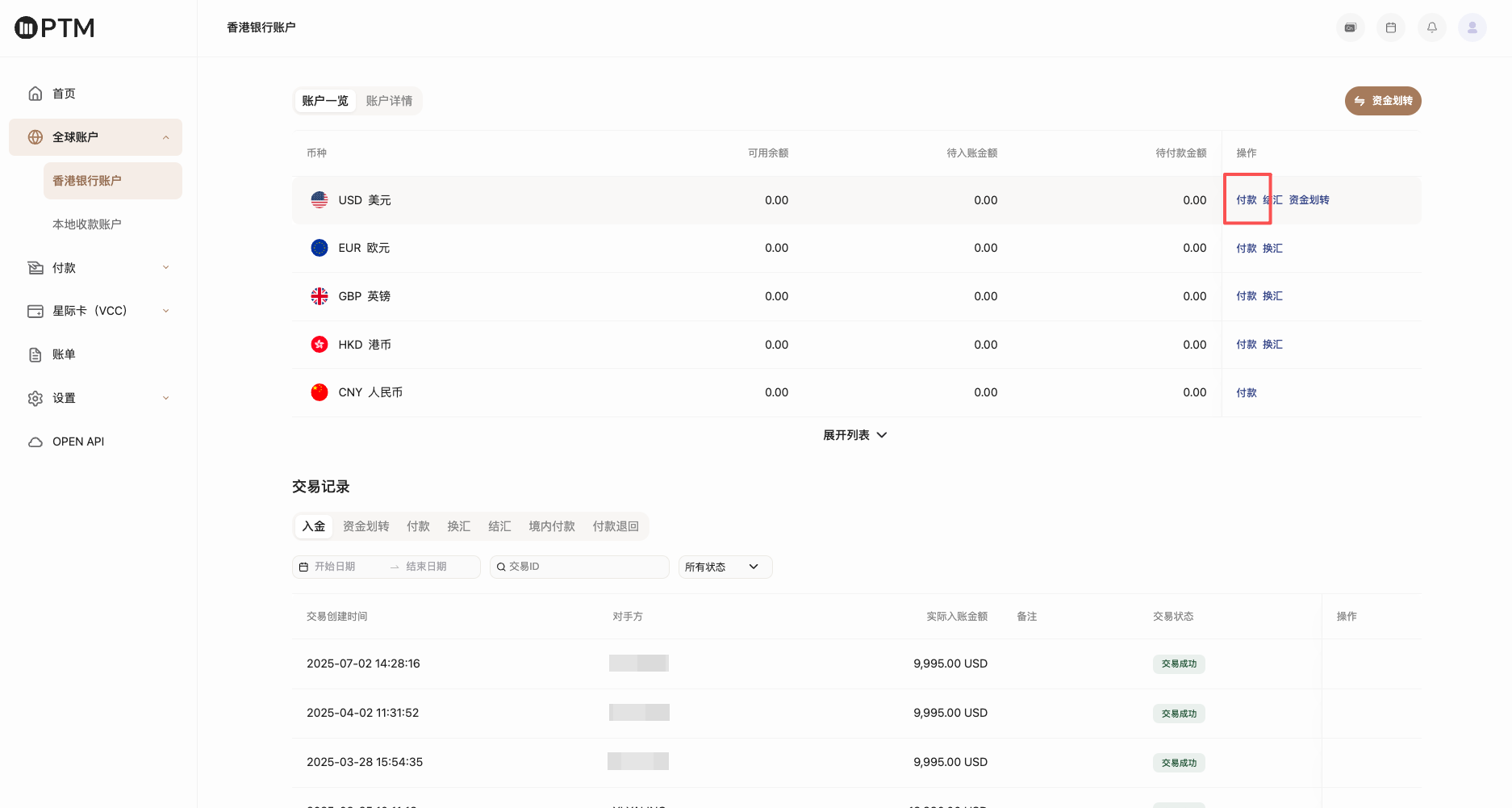
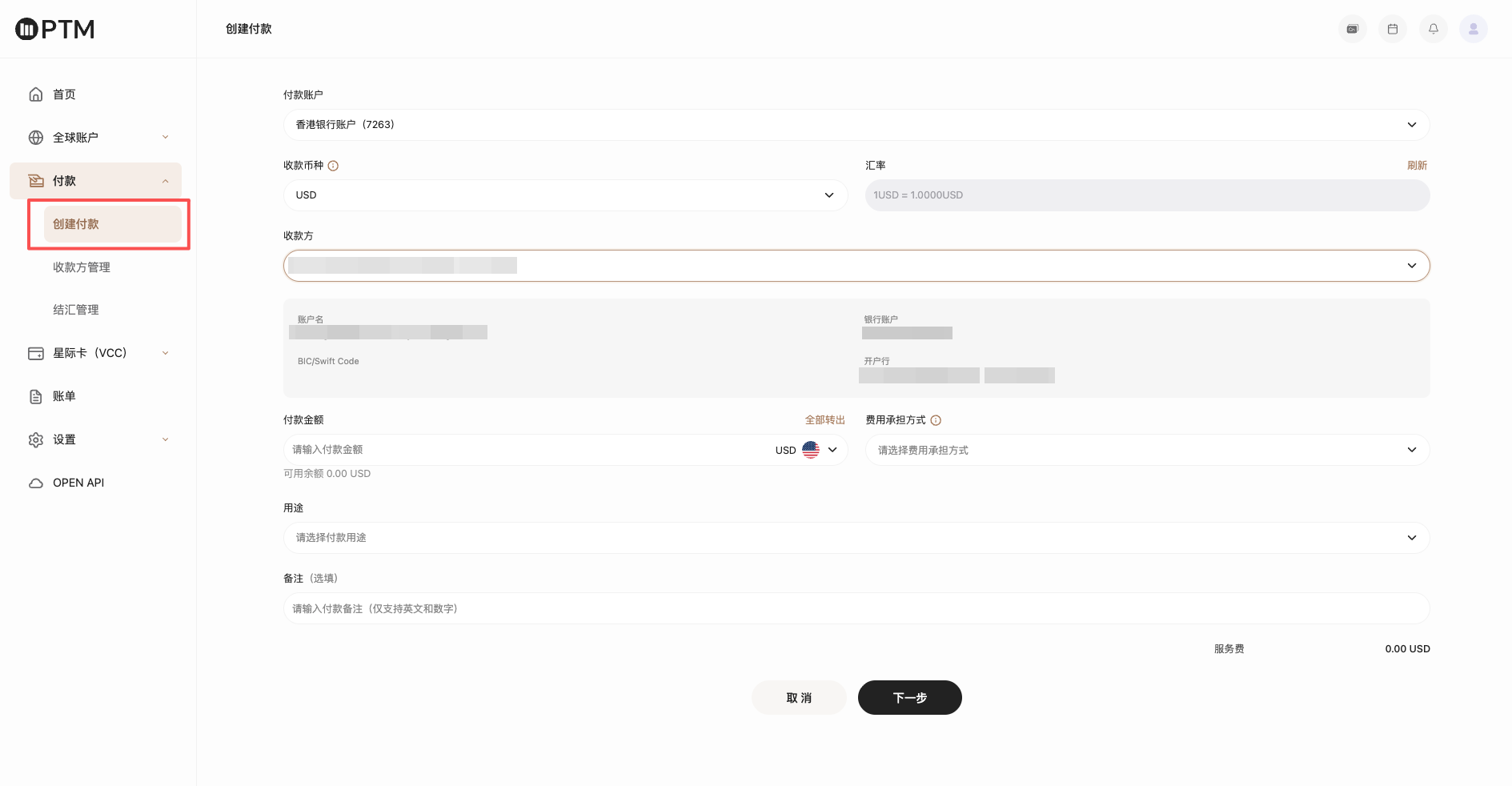
通过 入口① 香港银行账户-币种列表付款、入口② 付款-创建付款、入口③ 付款方管理-选择对应付款方付款,以上三种方式创建付款订单。具体如下图所示:

↓ 付款入口① ↓
↓ 付款入口② ↓
↓ 付款入口③ ↓
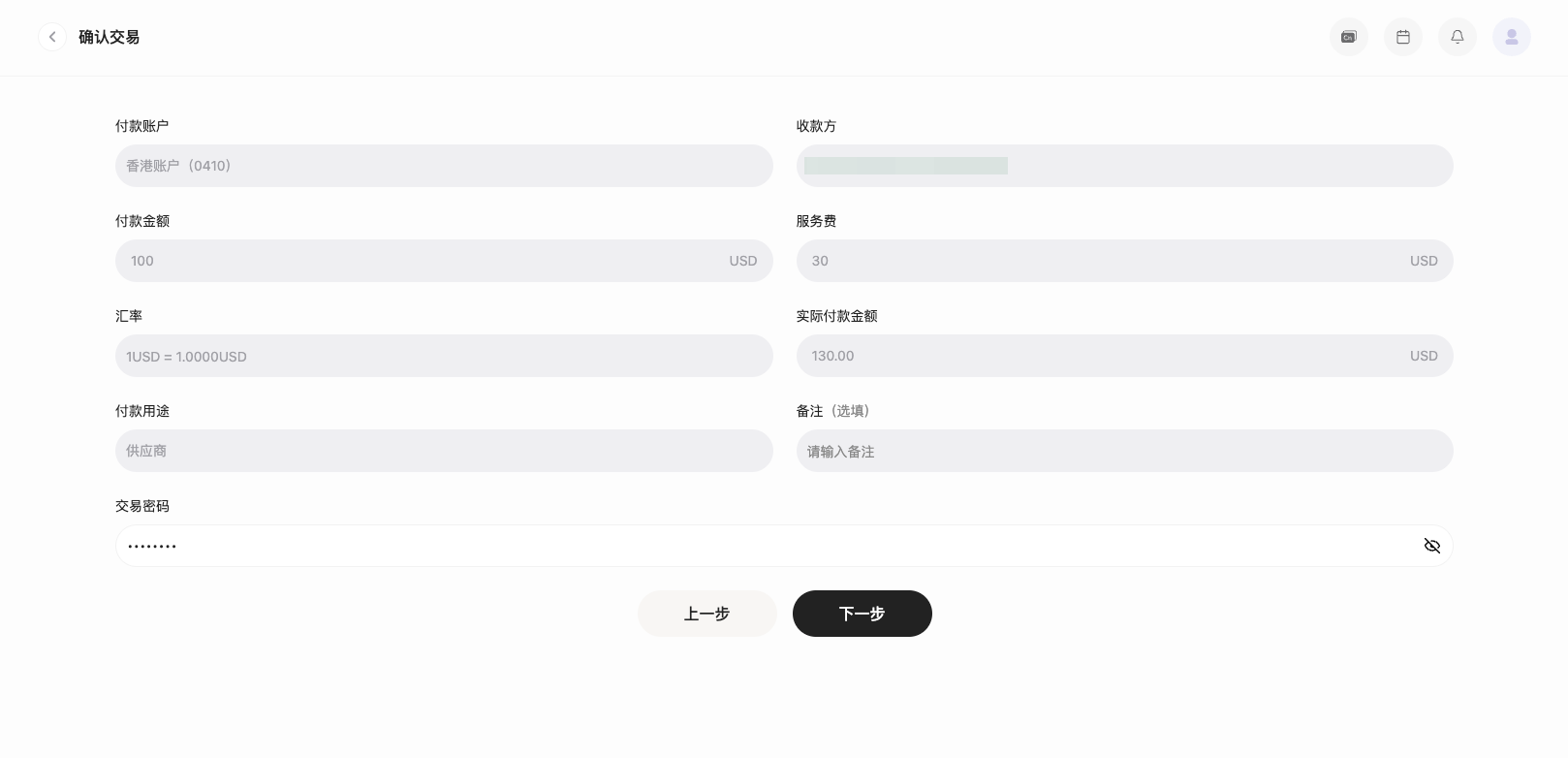
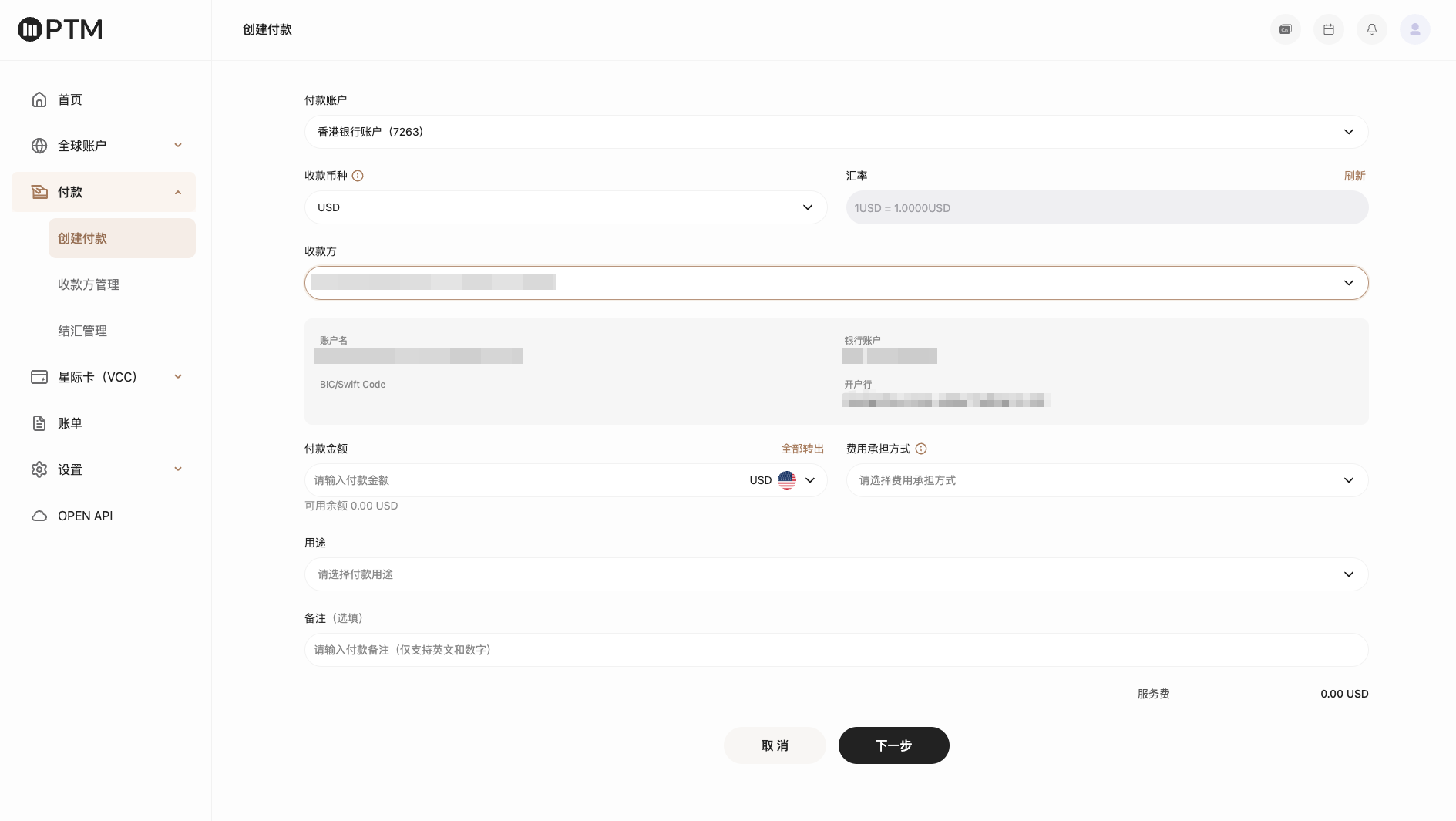
进入创建付款页面,根据页面提示选择对应收款币种及收款方信息,完善付款信息。

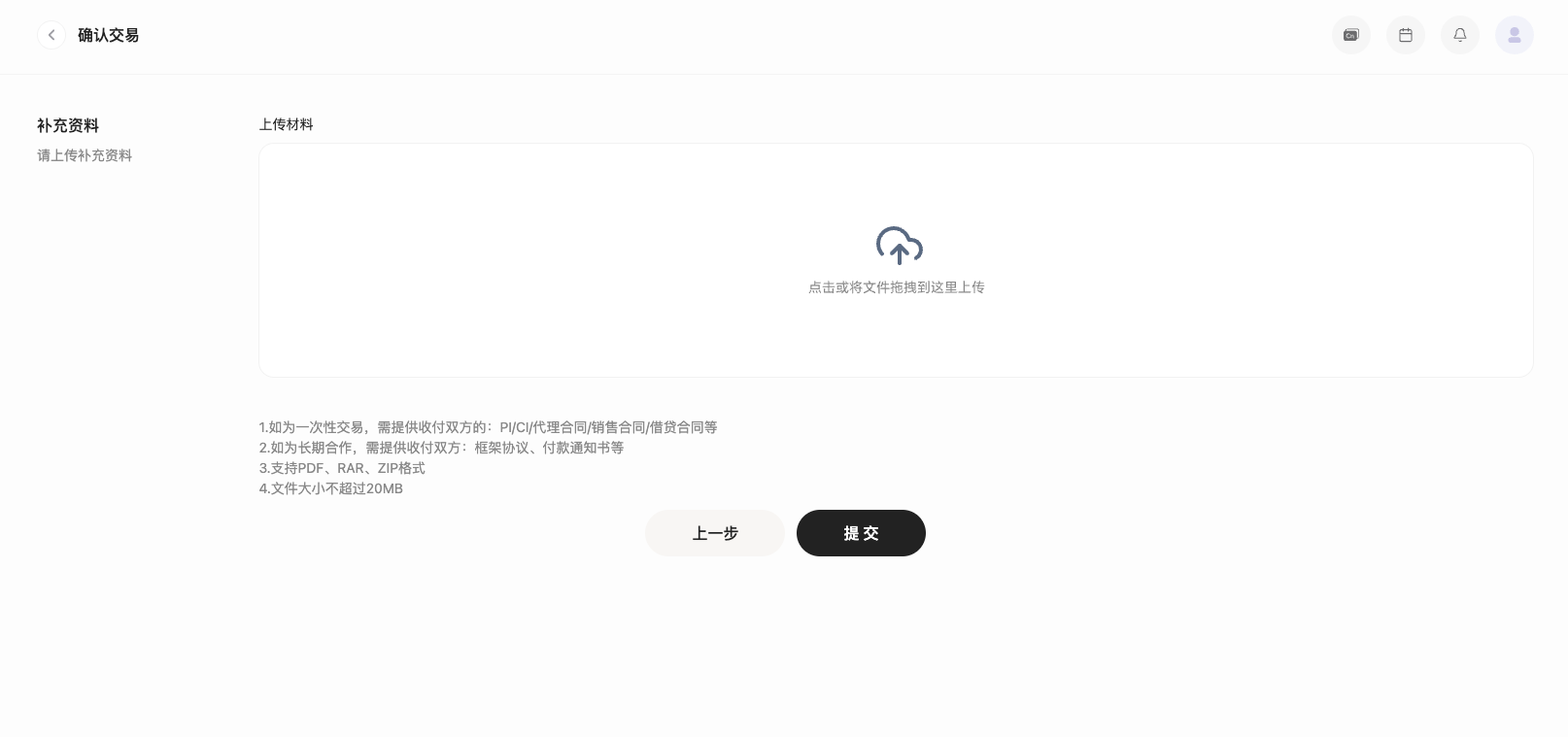
点击“下一步”进入补充材料页面,非同名账户需要上传双方合作协议;同名企业或同名法人账户,请补充上传证明材料(如营业执照附件等)。

材料上传成功后,点击提交付款,该笔付款及收款方账户信息进行审核,审核通过后银行进入打款环节。

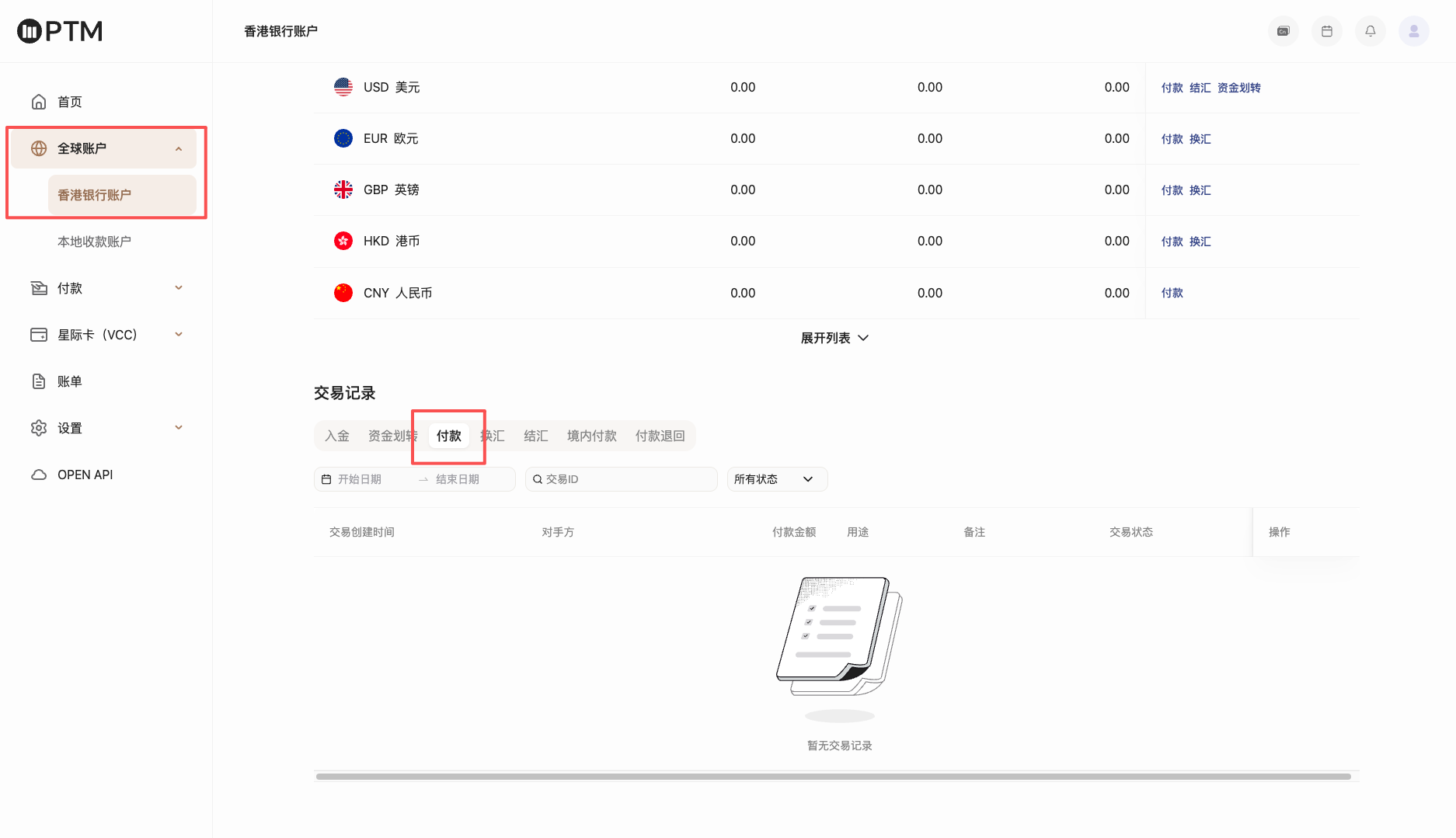
第三步 查看付款订单

付款创建完成后,您可在 全球账户-香港银行账户-交易记录 中筛选【付款】类型,查看该笔付款交易订单状态。

付款时效在T3-5,具体以实际付款情况为准;如付款失败,该笔付款将会取消,失败原因请咨询官方客服或您的客户经理。


Can't find what you're looking for?
service@ptmlink.com
Or contact your dedicated account manager directly.
Contact Emailservice@ptmlink.com
Service HoursWeekdays 10:00 AM – 6:00 PM
English
Products
Global Accounts
Global Card Issuance
Developers
Open API
API Documentation
Company
About Us
Careers
Customer Support
Help Center
浙ICP备2023021827号-2© 2026 PTM 版权所有
Agreement