Log In
Sign Up
Products
Developers
Company
Try Now
No Minimum Spend + Cashback
Menu
Global Accounts
Multi-Country, Multi-Currency Bank Accounts
Global Payouts
Fast, Low-Cost Global Payouts
Global Collections
Centralized Global Fund Aggregation
Global FX
Effortless Global Fund Flow
Global Card Issuance
Comprehensive Corporate Expense Management
Star Card
Automated Virtual Card Issuing
Financial Management
Fund Management & Control
Open API
Rapid Integration and Focused Core Innovation
API Documentation
Start Exploring
About Us
Who We Are
Careers
Join us! Embark on a journey of interstellar exploration.
Customer Support
Professional Service Assurance
Help Center
Frequently Asked Questions
FAQ
Search
什么是用户管理?如何添加更多子用户?

用户管理用于对账户内操作人员进行统一管理,支持添加子用户,并分配不同角色与操作权限,实现多角色、分级权限管控,常见角色包含超级管理员、管理员、财务、运营等。

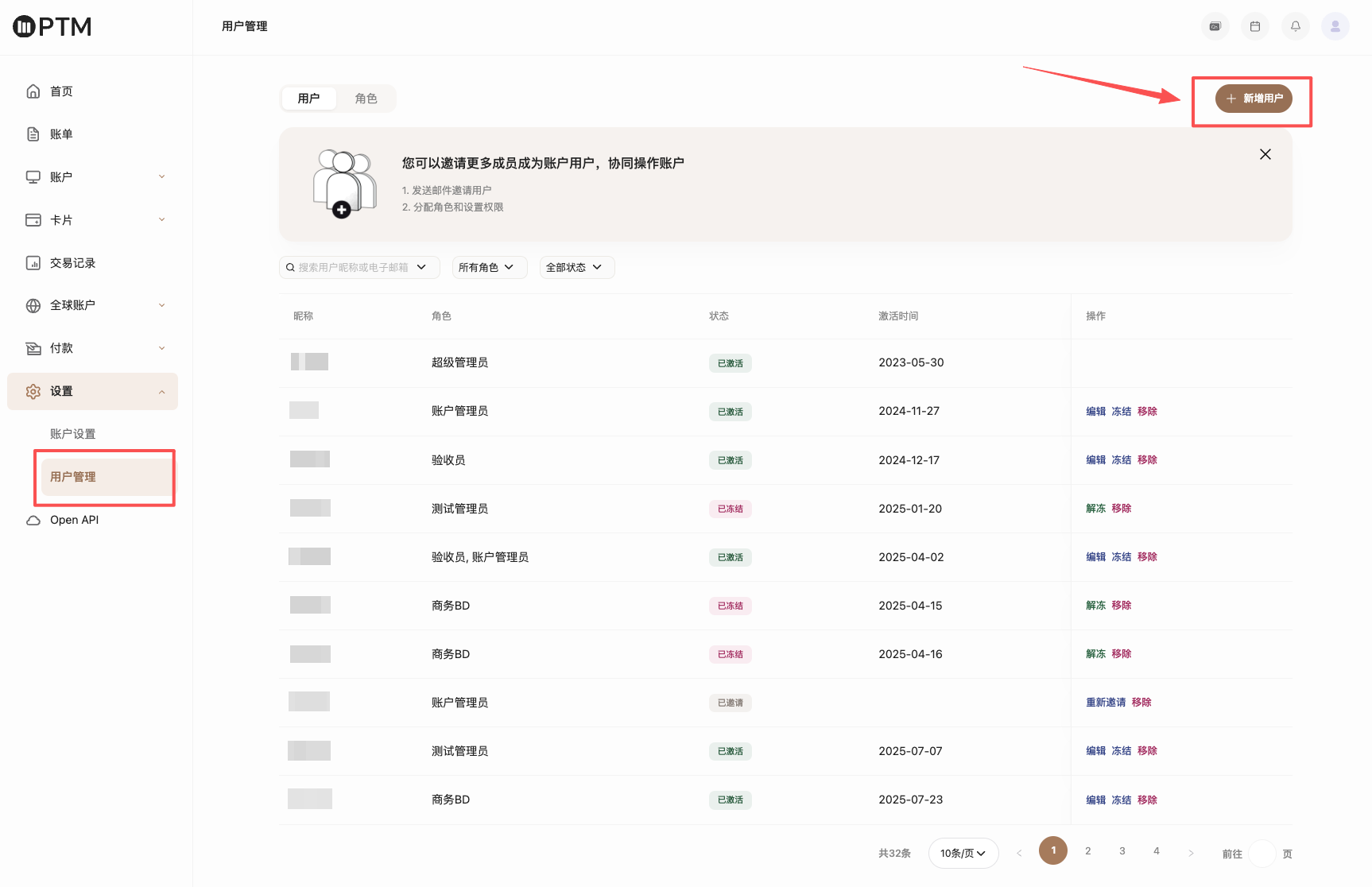
您可在系统内通过 设置-用户管理 功能新增子用户,并为其配置对应角色与操作权限。

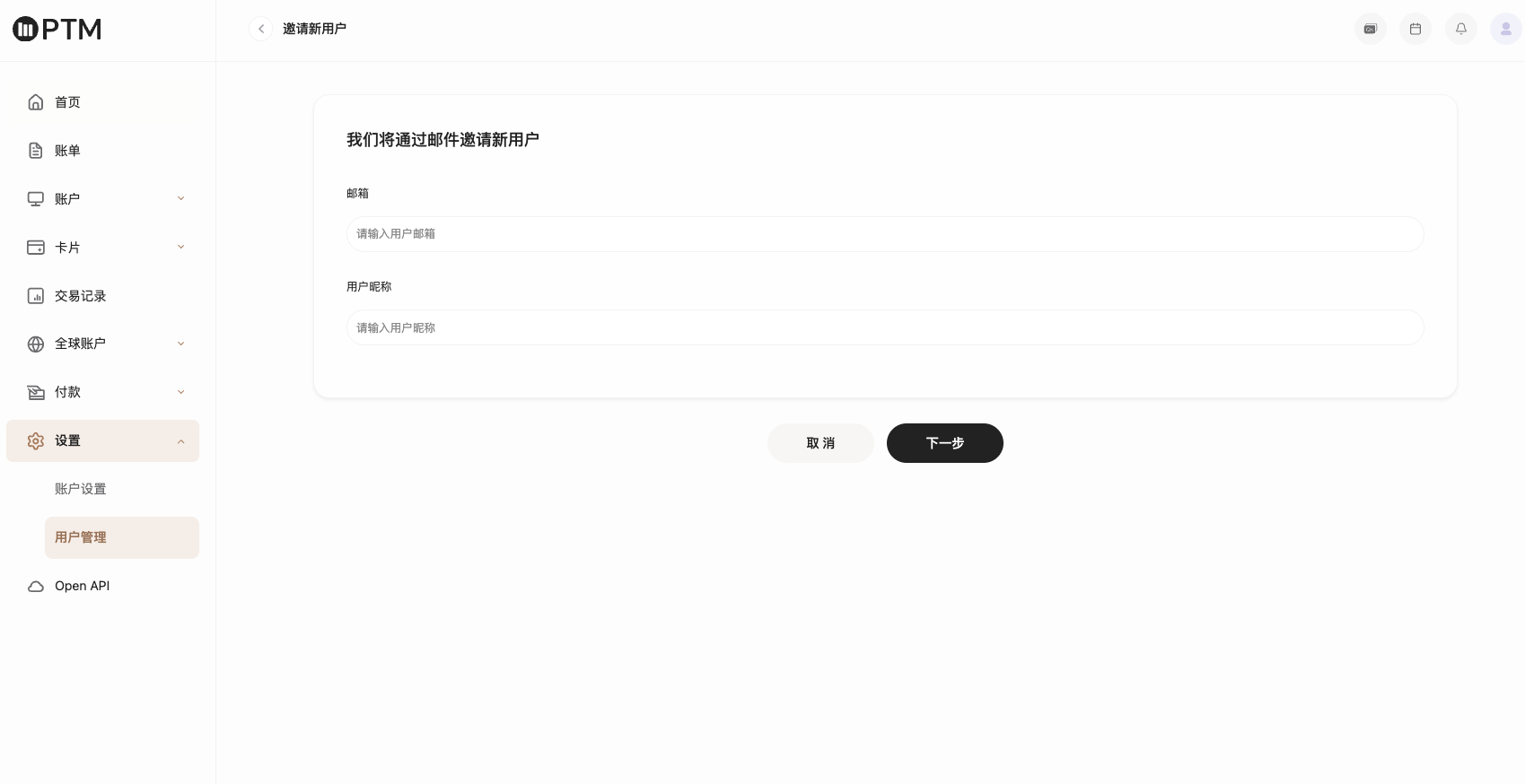
① 新增用户

点击进入 设置-用户管理-用户,在用户管理页面中点击右侧【新增用户】按钮添加对应用户,并为该邀请用户分配角色。


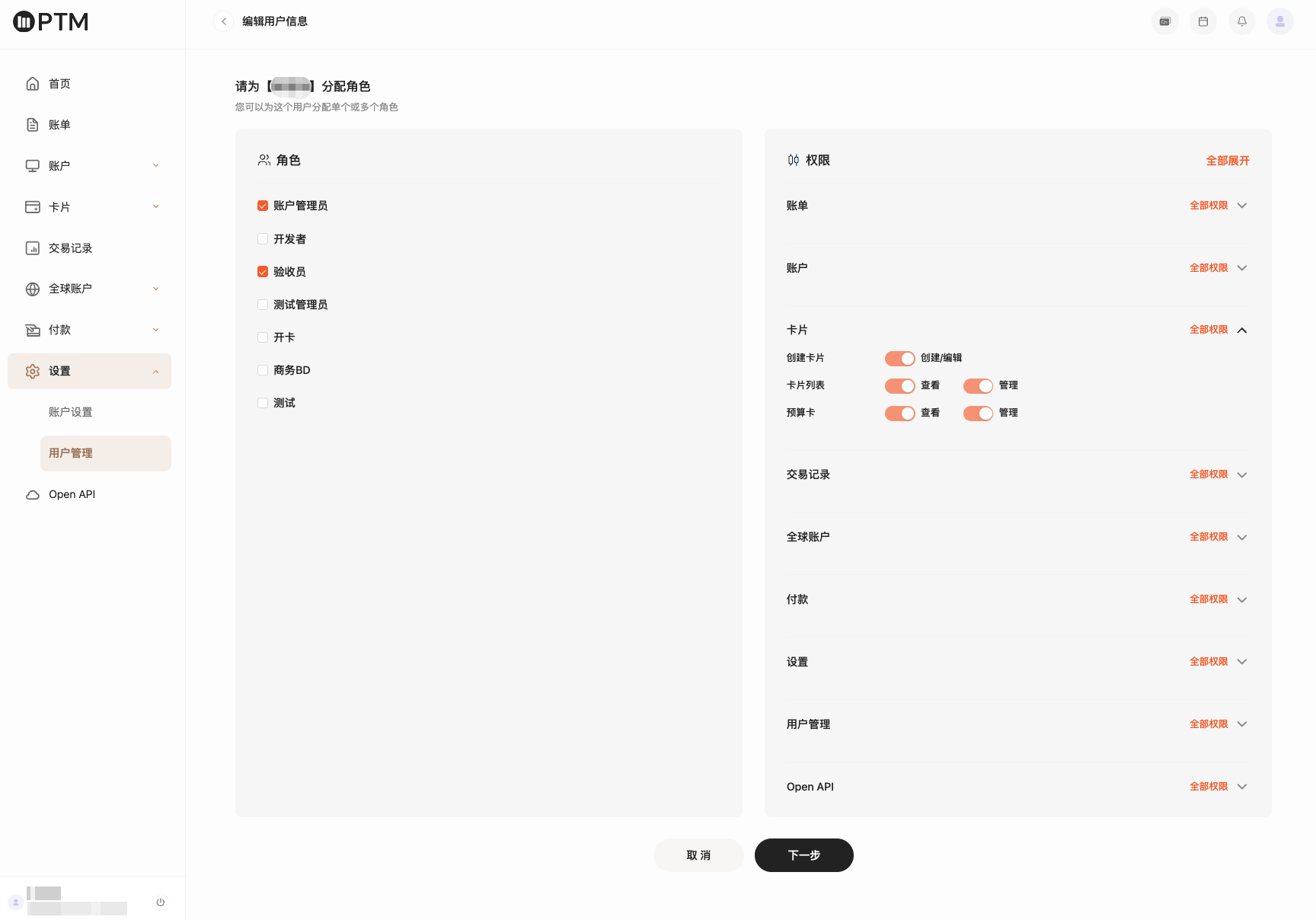
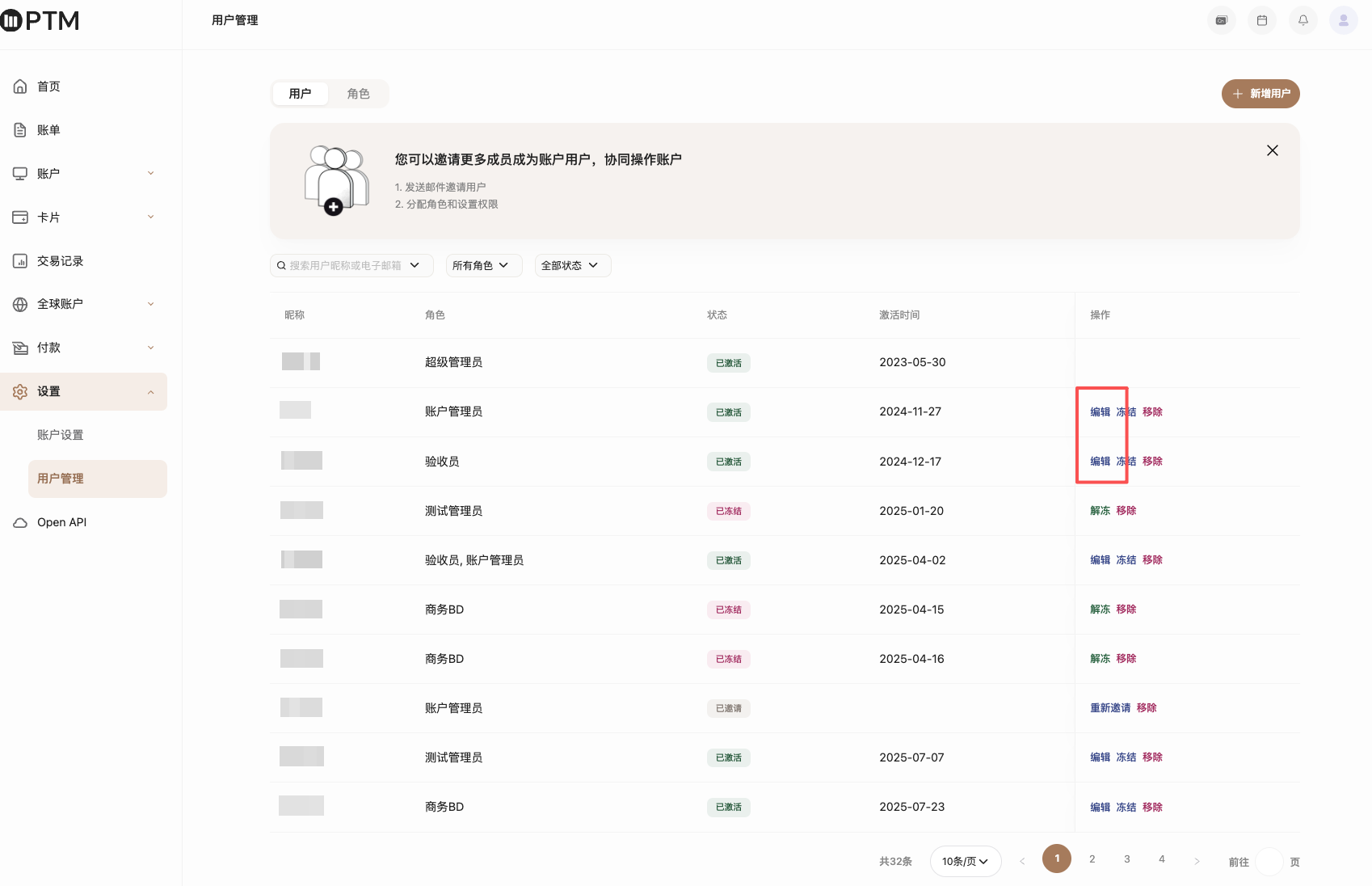
② 编辑用户

选择对应用户,点击编辑可修改昵称并重新分配对应权限。

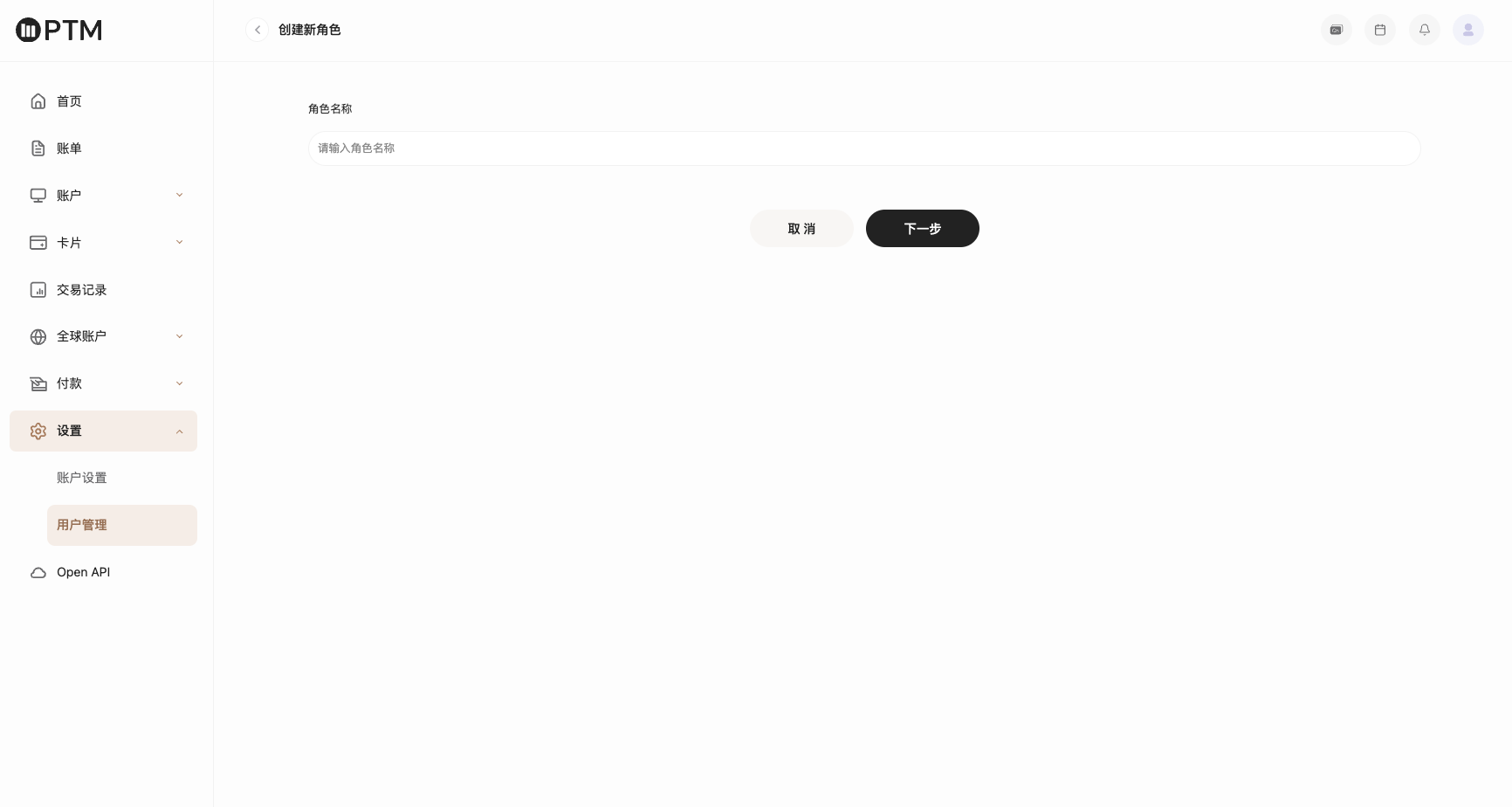
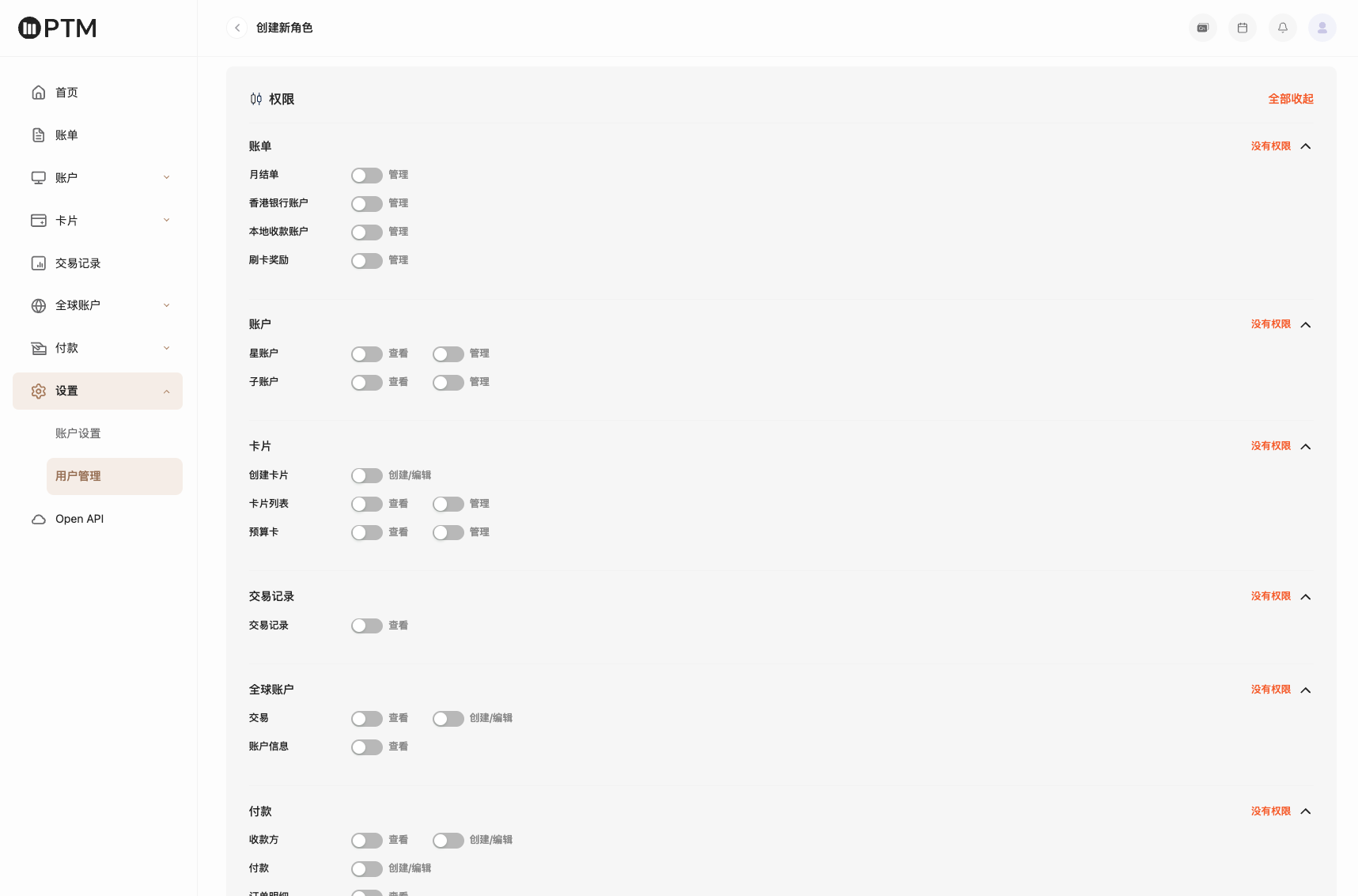
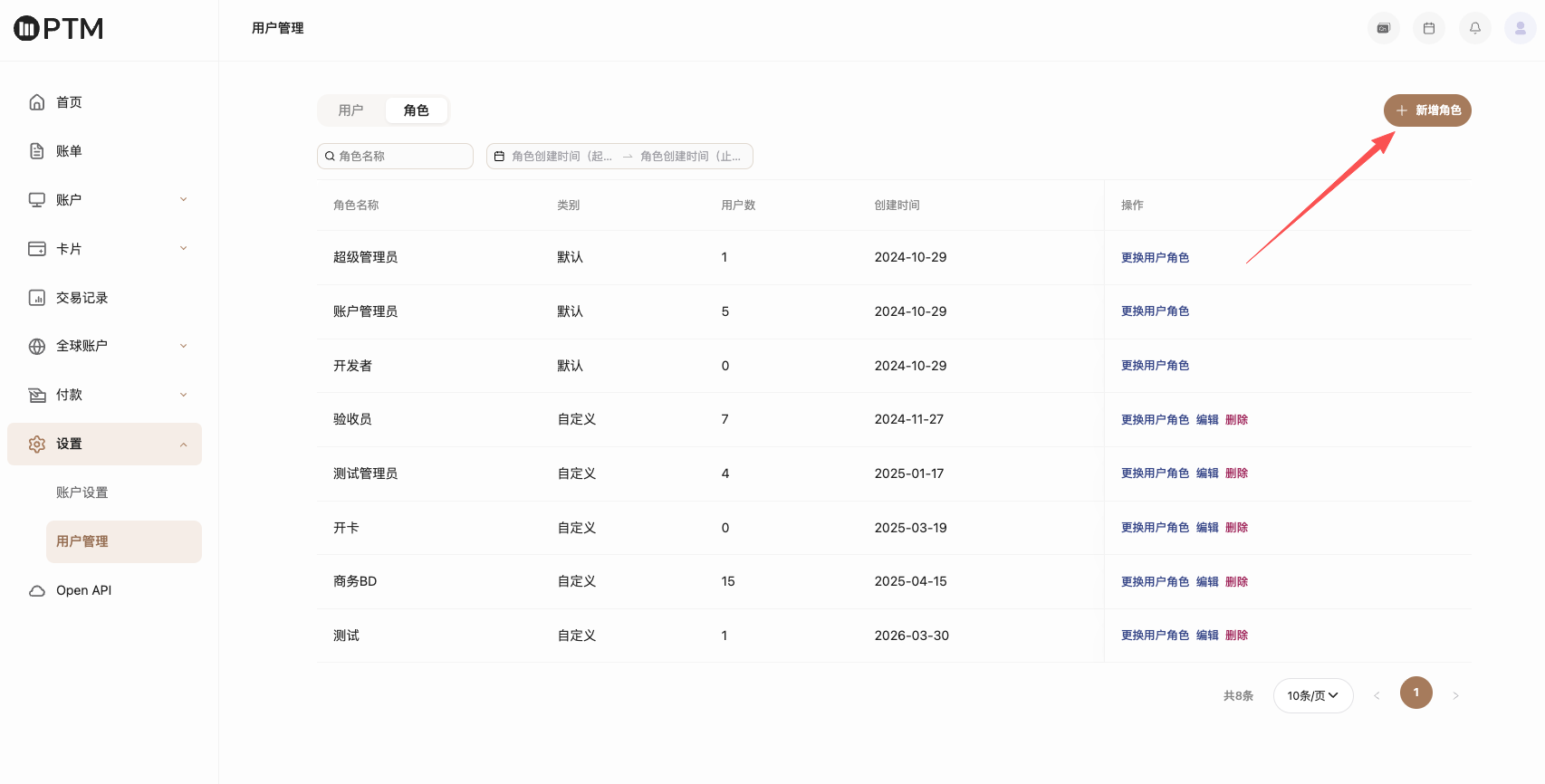
③ 创建角色

点击进入 设置-用户管理-角色,在页面右上角点击【创建角色】按钮,可添加更多角色并分配对应权限。


④ 用户冻结/解冻/移除

已添加并激活成功的用户,支持冻结/解冻用户权限,或可直接移除该用户。


Can't find what you're looking for?
service@ptmlink.com
Or contact your dedicated account manager directly.
Contact Emailservice@ptmlink.com
Service HoursWeekdays 10:00 AM – 6:00 PM
English
Products
Global Accounts
Global Card Issuance
Developers
Open API
API Documentation
Company
About Us
Careers
Customer Support
Help Center
浙ICP备2023021827号-2© 2026 PTM 版权所有
Agreement